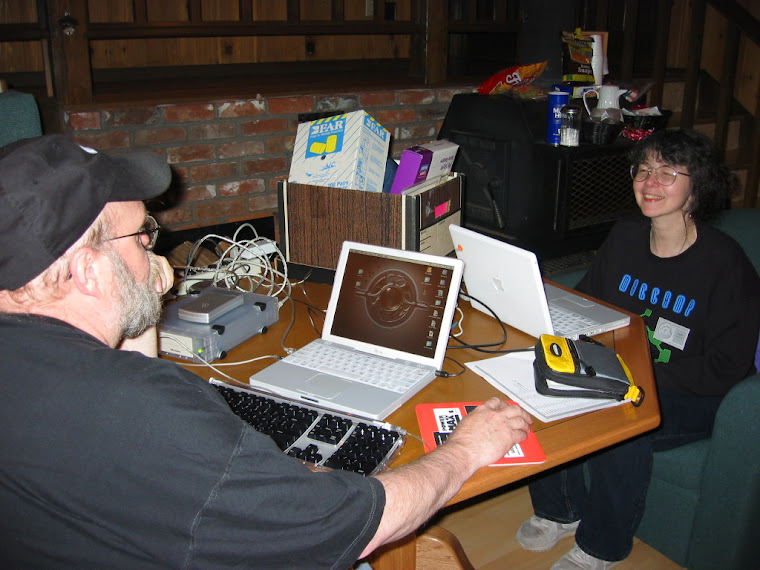
I was reminded not too long ago that not all Mac Users understand the trash can. Not just the main Trash located on their Dock but Trash in applications like iPhoto and Mail. Not only do you have to throw away the files you don’t want but you also have to tell the Trash to empty after you move the files there. If you do not empty the Trash the files stay on your hard drive and sometimes manage to fill it up to the point of corruption. So empty the Trash often. For those of you who put items in the Trash and use it as a holding bin: DON’T. Never put anything in there that you want to keep. If you feel the need to archive some files burn them to a CD or move them to a external hard drive, then throw them away and empty the Trash. If your Trash tells you that it can’t throw away certain files try again holding down the Option key as you empty the Trash. I have even had times I needed to "secure empty trash" before items would allow themselves to be removed.
Wednesday, February 27, 2013
I was reminded not too long ago that not all Mac Users understand the trash can. Not just the main Trash located on their Dock but Trash in applications like iPhoto and Mail. Not only do you have to throw away the files you don’t want but you also have to tell the Trash to empty after you move the files there. If you do not empty the Trash the files stay on your hard drive and sometimes manage to fill it up to the point of corruption. So empty the Trash often. For those of you who put items in the Trash and use it as a holding bin: DON’T. Never put anything in there that you want to keep. If you feel the need to archive some files burn them to a CD or move them to a external hard drive, then throw them away and empty the Trash. If your Trash tells you that it can’t throw away certain files try again holding down the Option key as you empty the Trash. I have even had times I needed to "secure empty trash" before items would allow themselves to be removed.

Tuesday, February 26, 2013
Always entertained about people who complain about FaceBook. Lets see you get on FaceBook to be found by your friends then you only put data on there that you want people to see, Right? There lies the problem folks that think they are only letting their friends see the data. You really need to go into your security setting on FaceBook and make sure only invited friends see your posts. Do keep in mind that any friend who shares your post allows all of their friends to see it. My best advice is don’t post anything you would not say out loud in a room full of strangers. As long as you use FaceBook posts this way you will never get in trouble. Also never tell people where you live or that you are going on a trip and won’t be home. Your real birthday is your business I don’t mind telling what month and day I was born but leave the year off. I only share things that I want to share and tend to treat FaceBook just like writing a articule for Mouse Tracks even if it is for friends. You never know who is going to read it.
In this new economy we watch companies wander round looking for someone to show them the next great thing we need more visionaries. One of Steve Jobs greatest assets was recognizing good ideas. He didn’t think them up he used talent that he knew was there. Steve used the talent from both friends and enemies to advance products. Some times those talents had nothing to do with computers it had to do with style and looks. Having a computer that used fonts in the same manner page layout people used them was this kind of thinking. A long time ago when I worked for ESI engineers used to ask anyone standing around them for comment on a project. Now that does not mean these were not smart guys. They wanted feed back from someone else’s eyes, a new perspective. Poor attention to detail is what kills most innovation. You need it to be killer the very first time you introduce it. This shows in the iPhone, iPad, iMac, MacBook Airs and MacBook Pros. People like the looks the feel as well as the software.
The Apps store at Apple is both good and bad. It’s good that it offers one stop shopping and updates for purchased items. However the amount of control the developers give up to put their products there hinders what they can and cannot do. So while you may only have to go to the Apps store to shop you may be settling on a product that has far less features than if you purchased the item directly from the developers. In fact many developers cannot be in the Apps store because their product violates Apples rules. Many Tricks software Moom is one of these. Their product is in the Apps store but all they can do is fix bugs they cannot add new features like they do if you buy the product directly from them due to Apples sandboxing rules. This is just a sample of one companies effort to keep their customers software up-to-date see their blog at (http://manytricks.com/blog/?page_id=2208) to learn more about how to update to their new versions by going to their web site. So if you really like a product at the Apps store you may want to check out the company that produces it and maybe buy it direct from the source. What this does is gives more money directly to the programmers. It lets the programmers inform you when updates happen and gives you the most current one with all the bells and whistles that Apple may not allow you to have. The biggest problem I have with Apple is that they do not turn over to the software developers who bought their products so they have know way to know that you have purchased their product. These are the bad parts of the Apple Apps store. The good part is that you can upgrade up to 5 machines using your Apps/iTunes account and password. This means if you buy Pages for your desktop you can also install it on you portable and your Mac Mini for no additional cost.
Well it’s been over 5 years that I started work for the MacStore in Beaverton. Told everyone going in that my feet would tell me when it was time to go. By the time you read this I will be a former employee and back to being a computer consultant again. I call it retirement because I will have Monday though Friday work hours and be able to travel a bit now and then. Retail has taught me a lot of things that I did not understand before. For shoppers first thing is be kind to the person you’re working with, most are trying really hard to help. Do your homework before you go and then when you ask for help you will understand many of the answers. Do not tell the sales rep your life story stick to what you came for. Do not ask how much this item is next door! If you want to know go next door and look. Sales people are not there to shop other stores for you. Sales people will ask you what you are currently doing with your computer and what would you like to do with your computer in the future. Knowing what you do helps them suggest the right computer for you. On the other hand sales people should treat you, as they would like to be treated.
Saturday, December 8, 2012
Sometimes you lose it all
This story is about the common computer user. The one who never has time or interest in backing up the information on their computers. Little do they know, that lurking around the corner is heartbreak and misery. There are many ways to prevent this, but most folks avoid them saying, “it is too expensive,” or “I don’t have time.” Even better are the ones that say, “I don’t have anything of value on my computer.” So let us explain things so you can think about what you are about to lose when that hard drive gets corrupted or dies. All the pictures you have edited and cropped, all the music you have loaded into iTunes, all the movies (homemade or purchased) are at risk. Add to this all the software and software updates, settings files and downloaded items that may not even be around any more. What about all your email, plus the settings for your email? How many websites do you have bookmarked/favorites? You will have to type them all in again, if you can even remember what they were. All this exciting fun is just waiting around the corner for you when The Event happens. Why do hard drives die? Like human bodies they get old, slow and pass away from old age. The average life span of a hard drive is five years. Most die sooner, some last for much longer than anyone would have guessed. Some hard drives just get corrupted but this can damage all the files and they have to be erased, taking all your data along with them. So my friends, buy an extra hard drive and back up your data. Back it up often and if possible keep a copy of your information off-site (not in your house). Think of the hours of restoring you will be saving yourself when the device fails. For those of you thinking that a drive recovery firm is your magic answer, keep in mind most fees start around $1000 and work their way up from there. If you are not sure how to do a backup, then hire someone to show you how. Spend a little now, save a lot of time and money later. Time Machine application from Apple does backups every hour of the changes you make. It is easy to use; however, you need a drive that is much larger than the drive you are backing up, because it never throws anything away. I suggest if you’re backing up a one terabyte hard drive, buy a two or three terabyte backup drive for Time Machine. You can also use cloning software like Carbon Copy Cloner from Mike Bombich (this used to be free but I heard they are starting to charge $39.95 for it). SuperDuper has been out there a long time and is my favorite. It costs $27.95 from Shirt Pocket Software, and so far all of my updates have been free. If you buy a cloning program your hard drive can be the same size as your computer’s because you are making a exact copy of your boot drive. In fact, you should be able to boot your computer from this copy and use it. So with all this information, decide soon if you want pain and sorrow, or an easy return to normal computing. But do not rant and rave that your hard drive died and it’s all Apple’s fault—it is not. It is just what happens.
I had a customer ask the other day when the new computers are coming out. My stock answer to this is “when Apple releases them.” Apple takes new computer releases very seriously and takes great pains to keep the releases to themselves until the last minute. Frankly that has worked in their favor for many years, so I do not see it changing anytime in the future. So your best bet is wait if you need a computer, and then buy the computer that best suits your needs. A good rule of thumb is that Apple will do one major upgrade of most of the line once a year and possibly a minor update of the processor later on if new chips come out. Computer we are still waiting on is the Mac Pro. It should get a major overhaul early next year so if you need one of those you are in for a wait.
Reading online I see people complaining about their computer only being out of warranty for three months and that Apple will not fix their broken computer for free. When you buy your computer you get one year, and you can add two more years by buying AppleCare. I suggest doing so. Apple is in the business to make money, as in all computer businesses some will fail within a certain period of time. Buying an extended service plan makes good sense if you are looking at long term usage of the product. Bad mouthing Apple for not extending the stated warranty just lets everyone know you made a bad judgment call on not buying the service contract. As a personal note, I buy AppleCare on all my Apple products. Sometimes it gets used, sometimes not, but I don’t have to worry about what repairs will cost if something fails within the three year period.
Friday, December 7, 2012
New Stuff From Apple
we have had another round of announcements from Apple. This time Apple has upgraded several items as well as introducing a new iPad Mini to the line up. Now if only Apple can ship all this stuff before Christmas and in enough quantity to fill demand. I am really entertained that Apple would announce all these products and not have them to ship. The only devices Apple had ready to ship were the new Mac Mini and the Retina Display MacBook Pro 13 inch. The iPad Mini (WiFi version) will start shipping November 2nd and the cellular version will follow two weeks later.
13 iNCH RETINA MACBOOK PRO
In reading about the 13 inch Retina Display MacBook Pro, I was amazed that the upper level $1999 unit has the same processor as the $1699 model. This seems a little strange to me as the price of SSD hard drives has been coming down. Although I agree that the screen looks great on the Retina Display, I’m not sure it’s worth the extra $500 when you are giving up a large standard hard drive of 500GB, SuperDrive, Ethernet port, and FireWire to get it. For those of you who need a small laptop with an exceptional display and who have a flexible pocketbook, it may be the machine for you. Just don’t forget to add on the extras that you may find you need; like Thunderbolt to Ethernet adapter, Thunderbolt to FireWire adapter and possibly a USB SuperDrive to load any DVD/CD ROM software you may have purchased.
iMAC
On to the iMac changes and what they mean to you. There are many good things about the iMac upgrades so I will cover these first. The Ivy Bridge processor chip brings the iMac into line with the rest of the Mac line. This means USB 3 support as well as NVIDIA video cards and faster processor speeds. The super thin design lowering the weight by 10 pounds makes this a very lightweight machine. Now the minuses. The minimum installed RAM is 8GB rather than the old 4GB as in past models. However on the lower 21.5 inch machines you can no longer upgrade your RAM after you purchase the machine. The cost for the base model goes to $1299. The 27 inch models now start at $1799 and have a RAM door that allows you to change the RAM. Missing from the new iMac are the DVD/CD ROM drive and the FireWire ports. I can understand Apple trying to do away with internal DVD/CD ROM drives but the FireWire Ports from a desktop? Really!? Apple has left the SD card reader port in the machine but it is all the way in the back of the monitor. Not very easy to get it but at least it’s still there.
MAC MiNi
The Mac Mini gets the Ivy Bridge processor and USB 3 with the low end model having a dual-core i5 2.5GHz chip, while the upper level model gets a quad-core i7 2.3GHz. Both come with 4GB of RAM and the Intel HD Graphics 4000 on board. The upper level model loses the stand-alone video card but gains a 1TB hard drive and, wonder of wonders, this unit has FireWire and Ethernet. Of all the updated machines, this one rates on the top of my list.
iPAD MiNi
I’m sure the iPad Mini has a market. Many folks wanted a smaller, lighter weight model that could be slipped into a coat pocket, and this should fit that bill nicely. I will have to play with one before I make up my mind about the screen size. It would have been more interesting at a lower price point but Apple seems to think it will sell, and who am I to disagree.
The iPad Mini seems to be well received by most reviewers. Many have made the comment that the size and the weight feel very good in the hand. One thing that has really been commented on was the fact you can use any iPhone charger
to charge it. Remember the iPad requires a 10W charger and the iPhone is only a 5W charger. The charger that comes with the Mini is the same as the iPhone 5W charger. Once again the main problem is how fast this device sold out and how few were sent out to third party stores.
iPAD 4
The big surprise was the iPad 4, which none of us expected. This new full sized iPad has the A6X chip which is twice as fast as the old model according to Apple. Combining this with the ultrafast wireless for fast uploads and down loads of data should make this a nice improvement over the third generation iPad if you were planning to buy one. On the other hand, if you already have an iPad 3, this offers little reason to move up.
CHANGES AT APPLE
It had to happen sooner or later— power plays at Apple is what I’m talking about. Tim Cook just proved to the rest of Apple management that he will only take so much before he fires people. Scott Forstall was fired for not apologizing for the bugs in Apple’s Maps program, but he was also the head of the Siri voice which also has problems. However the real reason may be Jony Ives, who refused to meet with Forstall unless Cook was there. It seems Ives really disliked Forstall’s approach, which was confrontational and uncooperative in meetings. Cook also fired John Browett, who was making changes in the retail division by running the stores based on revenues, not customer service. That was not the way Apple climbed up the retail chain ladder. So now we see how things sort out as Apple sets new goals with new leaders.
I will try my best to update this blog more often
Subscribe to:
Posts (Atom)