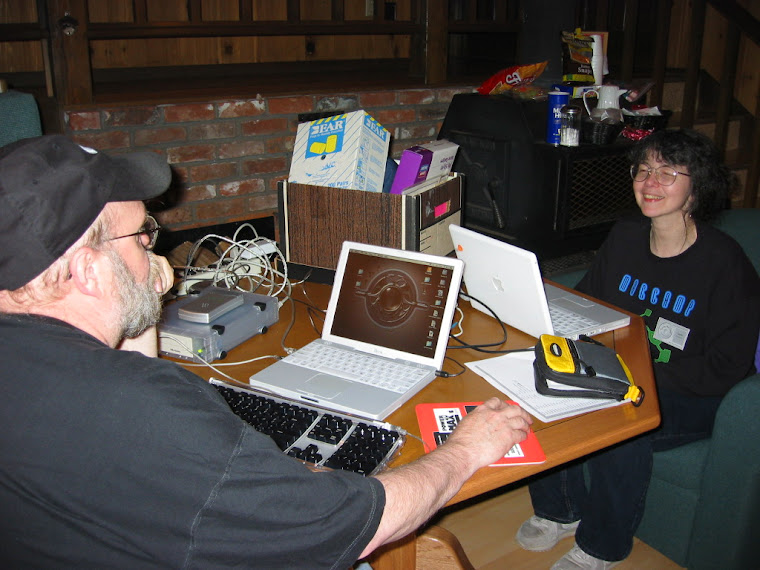
Moving from older Macs to new ones using Migration Assistant is still fairly easy providing your old machine is still running Snow Leopard OS (10.6) or above. Keep in mind that the easy way would be with FireWire but if the new machine does not have FireWire you will have to use Ethernet and a patch cable. Apple gives you fairly good instructions, just remember this is not going to be a fast process. If you have an older operating system I will suggest moving all your documents to an external hard drive and doing things like exporting your Mail bookmarks and Address Book before the move.
Friday, March 14, 2014

Address Book and Apple Mail
A common problem that occurs in all versions of Apple Mail has an easy answer if you know where to look. I got a telephone call from one of my longtime clients, and here is her problem. Every time she tries to send an email to her daughter, Mail puts in an old, no longer current email address. She informs me she has removed the address from her Address Book but Apple Mail still puts in the old address. In an effort to help you, Mail remembers all the people you have sent mail to before so it can fill in that address line for you. However when you remove an address from the Address Book/ Contacts application, Mail keeps right on giving you a bad address. It will show the new address in the list but seems to default to the old one. The answer is located in the Mail program under the Window menu and is called “Previous Recipients.” Choosing this will give you a list of many email addresses. Click on the address and then click “Remove from List.”
Mavericks Compatibilty
After doing a clean install of Mavericks on our 2007 silver iMac, I logged into my App Store account to download the iLife programs and iWork programs. I was very entertained to see that iMovie (the current version) would not download because my iMac did not meet the guidelines for video cards. Everything else seems to have updated just fine. I was able to copy over a older version of iMovie and it works. However my Dock shows one “available” application update which of course I can’t install. Keep in mind we have several machines and that I did clone the old drive before doing the wipe and clean install, so I would not have been in trouble if there had been more incompatible items. This is not really a question, but rather a word of warning, that even if Apple says your machine can run Mavericks it may not run everything,depending on how the configured machine was built. I know that higher models in this series had fancier video cards that may work fine. Mine has a ATI Radeon 2600 with 256 MB GDDR3. (Update: The good news is that Apple seems to have fixed the installer for iMovie and it now installs and works on my 2007 iMac. So there is a good chance this was a bug that Apple had not tested for in this version of iMovie.)
Updates for Apple
Apple updates the Pages and Numbers applications, but at the same time introduces bugs that cause problems in older machines. This happens because they have become resource hogs. It appears that the programs try to access both iTunes and iPhoto at the same time which sends your CPU into overdrive. This ramps the processor usage up over 100%. At this point your machine is crawling and barely usable. Apple is aware of the problem but so far has provided no solution. Note: the newer your Mac is, the less likely you are to notice the slow down.
Wednesday, January 22, 2014
New a versions of old tricks
New a versions of old tricks.
You get a email saying that there is a package waiting for you "undelivered courier item" and you need to download a PDF. Do not do this it will not ask for your permission to install it.
OSX/LaoShu-A.
http://www.gmanetwork.com/news/story/344885/scitech/technology/mac-users-warned-vs-new-trojan-malware
You get a email saying that there is a package waiting for you "undelivered courier item" and you need to download a PDF. Do not do this it will not ask for your permission to install it.
OSX/LaoShu-A.
"LaoShu-A as good as hands control of your Mac over to the attackers
Read this story for complete info.
http://www.gmanetwork.com/news/story/344885/scitech/technology/mac-users-warned-vs-new-trojan-malware
Thursday, November 21, 2013
APPLE
Tim Cook announced on October 22nd that new changes are on the way—changes in software and changes in products. I’m going to go through them in the same order that Mr. Cook did, starting with the fact that five days after the launch of iOS 7, 200 million iPhones, Touches and iPads were using it. There could have been even more only Apple decided my iPod Touch 4 was too slow to make the grade. Many of the older devices like my iPhone 4 will run the system but not all of the features are supported. Yes, I am running it and it seems to run fine on that device. There is, however, a problem about using the virtual keyboard with documents and data (in iCloud). You need to disable this feature in your iCloud settings. If you do not do this, you will see a 5 to 10 second lag each time you press a key. I have not turned on iCloud so I have not had any problems with my keyboard on the iPhone 4.
NEW FEATURES
Apple has also added new features to Safari: enhanced notifications, tags in the Finder, and big changes to how multiple monitors are handled. New Maps and iBooks Apps so you can now burn your eyes out, staring at your computer screen, reading a book long into the night. New software to go with the new Mavericks like Pages, Keynote, and Numbers. You can upgrade your computer from any System using 10.6.8 or above for free providing it meets the hardware requirements. I will be coming back to Mavericks and talk about things as I use it a little more. So this will not be the last you will hear about it.
Subscribe to:
Posts (Atom)